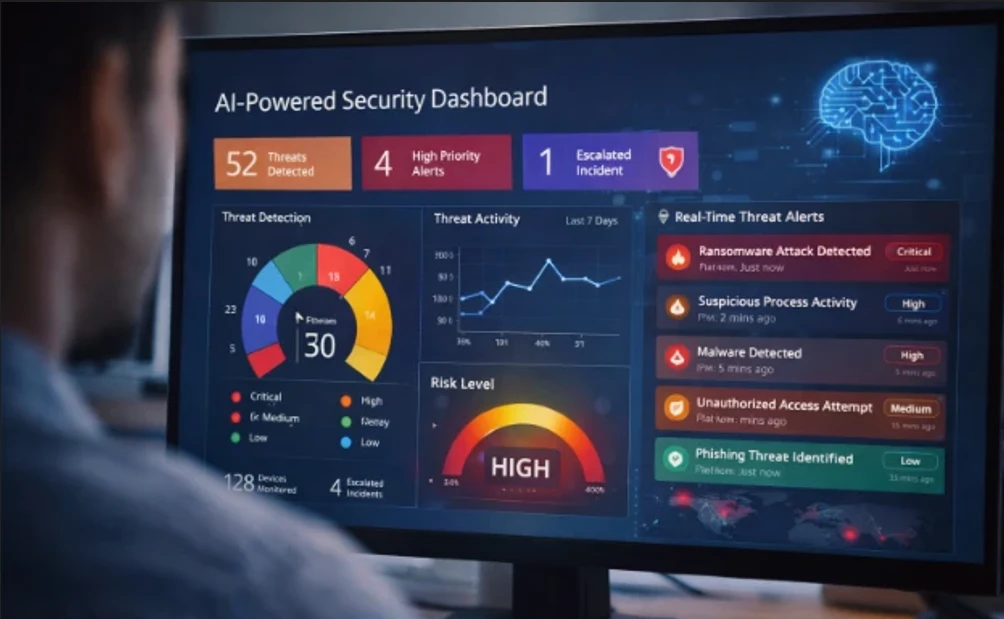

Protecting your privacy online is more important than ever, whether you’re browsing social media, shopping, or just checking your email. With companies and hackers constantly seeking personal information, understanding how to protect your privacy online helps keep your identity, finances, and personal data safe from misuse.
Why Online Privacy Matters
Every time you go online, you leave behind data points—your search history, location, passwords, and even your shopping habits. This digital footprint can be collected, tracked, and sometimes sold by companies or exploited by cybercriminals. Taking proactive steps to guard your online presence isn’t just smart—it’s essential in an age where data breaches and identity theft are common.
Start With Strong Passwords and Authentication
Use Unique, Strong Passwords
Weak passwords are one of the easiest ways for attackers to access your accounts. Always use a long, complex password with a mix of letters, numbers, and symbols for each account. A password manager like Bitwarden, 1Password, or Dashlane can help you generate and securely store unique passwords, so you don’t have to remember them all.
Turn On Two-Factor Authentication (2FA)
Wherever possible, enable two-factor authentication. This adds an extra layer of security by requiring a second verification step (such as a code sent to your phone) before logging in. Consider using an authenticator app like Google Authenticator or a hardware key like Yubico, which are more secure than SMS-based codes. Additionally, passkeys are a great option, as they are phishing-resistant and replace traditional passwords with biometric or device-level authentication.
Control What You Share Online
Think Before You Post
Only share information that’s absolutely necessary. Personal details like your full birthday, home address, or phone number can be used to steal your identity or access accounts. When signing up for services, skip optional fields that ask for extra personal data.
Check App Permissions
Apps often request access to things they don’t really need—like your location, camera, or contacts. Review these permissions regularly on your devices and revoke access for any app that doesn’t need it.
Use Secure Tools and Software

Browse with Privacy in Mind
Web browsers collect a lot of data by default. Consider switching to privacy-focused browsers like Firefox, Brave, or DuckDuckGo, which limit tracking and block third-party cookies. Regularly clear your cookies and browsing history. You can also install privacy extensions like Privacy Badger or uBlock Origin to block invisible trackers and malicious ads.
Note: Private or “Incognito” mode can help reduce local tracking, but it doesn’t make you invisible on the internet—your ISP, employer, or websites can still track your activity.
Use a VPN for Public Networks
When you connect to public Wi-Fi at places like cafes or airports, your data can be exposed to others on the same network. A Virtual Private Network (VPN), like Proton VPN or Mullvad, encrypts your internet connection, hiding your IP address and securing your data from prying eyes. Always use a VPN when connecting to unsecured, public networks.
Keep Software Updated
Software updates often include important security patches to fix vulnerabilities that attackers might exploit. Make sure your operating system, browser, and apps are up to date. Enable automatic updates to ensure you’re protected as soon as a patch is available.
Minimize Tracking and Data Collection
Limit Social Media Exposure
Social media platforms collect vast amounts of personal data. Review your privacy settings to control who can see your posts and profile details. Avoid linking accounts (like Instagram with Facebook) which can share data across platforms. Set your profiles to “Private” and avoid posting sensitive details like your home address, birth year, or current location.
Be Wary of People Search Sites
Some websites collect and sell personal details like phone numbers or addresses. If you find your information on these sites, many offer opt‑out options to stop sharing your data. Services like Aura and the Consumer Financial Protection Bureau can help you manage data removal requests.
Use Encrypted Messaging
For secure communication, use messaging apps like Signal or WhatsApp, which offer end-to-end encryption. This ensures only you and the recipient can read your messages.
Safeguard Your Personal Devices

Install Security Software
Anti‑virus, anti‑spyware, and firewall tools help prevent malicious software from stealing information. Keep them updated and run regular scans to catch threats early.
Back Up Important Data
Regular backups ensure you can recover your information in case of ransomware attacks or device failures. Use encrypted cloud backups or external drives stored securely.
Frequently Asked Questions
1. What is the biggest threat to my online privacy?
One major risk is data collection by companies and trackers who build profiles based on your searches and online behavior. Another big threat is weak or reused passwords that allow hackers to access multiple accounts.
2. Does private browsing keep me truly private?
Private or “Incognito” mode limits local tracking, but it doesn’t prevent websites, ISPs, or network administrators from seeing your activity. It’s useful but not sufficient for full privacy.
3. Is using a VPN necessary?
For general browsing at home, a VPN isn’t mandatory, but it’s highly recommended on public Wi‑Fi or if you want to mask your IP and encrypt your connection from trackers and hackers.
4. How often should I update my privacy settings?
Review your privacy and security settings on apps, social media, and devices every few months or after major software updates to stay protected as settings and features change.
Conclusion: Take Control of Your Digital Life
Protecting your privacy online isn’t just about avoiding data breaches—it’s about taking control of your digital identity. By implementing strong passwords, enabling multi-factor authentication, using privacy-focused tools, and being mindful of what you share, you are actively safeguarding your personal and financial information. The digital world will always have some level of risk, but by making privacy a priority, you can minimize those risks and enjoy a safer online experience.
Remember, privacy is an ongoing process. As technology and threats evolve, so should your habits and tools. Stay vigilant, stay informed, and keep refining your online security practices. Taking these steps today means a more secure tomorrow, allowing you to embrace the digital world without compromising your safety.